How To
Google Pay Pocket Money Feature: A Complete Guide by WhatsYourPrint

Apr
How the New Google Pay Pocket Money Feature Empowers Families



What is the Google Pay Pocket Money Feature?
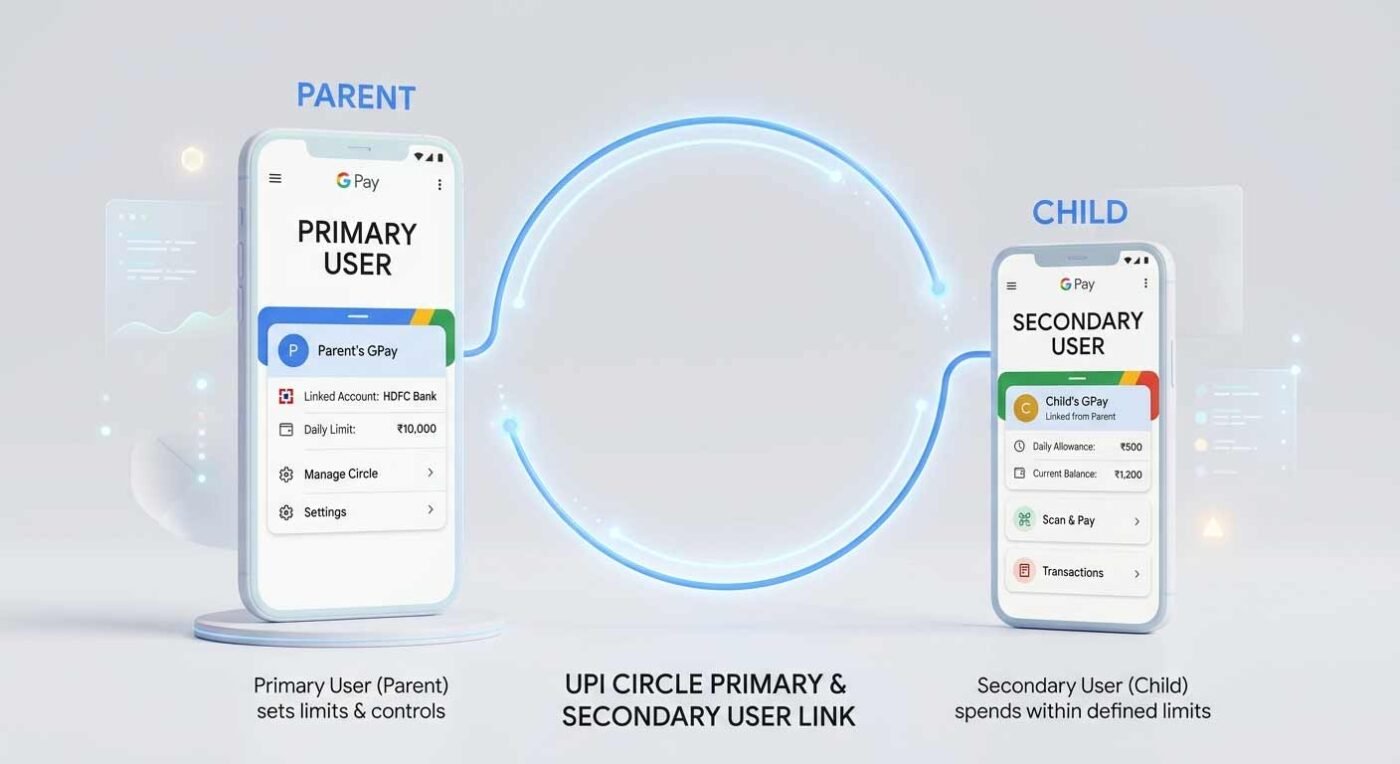
- Financial Literacy: It introduces children to responsible spending habits early on.
- Convenience: Kids can pay for small expenses like school supplies or snacks hassle-free.
- Strict Oversight: Parents act as “financial gatekeepers,” ensuring no unauthorized spending occurs.




- 1
- 2
How Does GPay Pocket Money Work?




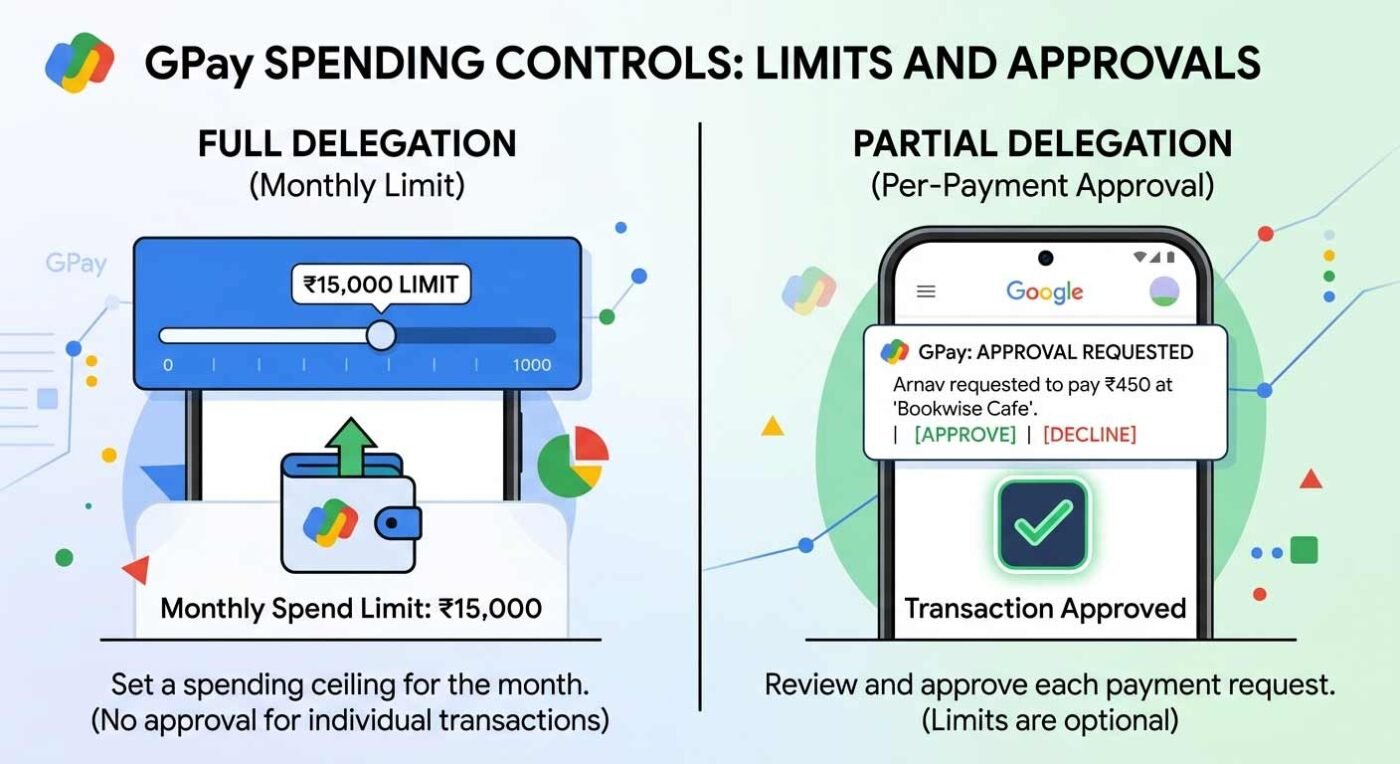
- Full Delegation (Monthly Limit): Parents can set a monthly spending cap of up to Rs 15,000. Within this limit, the secondary user can make payments independently.
- Partial Delegation (Approval Mode): For tighter control, parents can require every single transaction to be approved by them via a request sent to their phone before any money is released
Real-Time Safety Features
How to Set Up the Google Pay Pocket Money Feature
- Open the GPay app and navigate to your Profile.
- Select UPI Circle and click on “Set up pocket money”.
- Search for the secondary user’s contact (ensure their number is saved in your phone)
- Scan their UPI Circle QR code or search by phone number.
- Choose your preferred approval settings (Monthly Limit or Approval per payment).
- Complete the invite by entering your UPI PIN.

Debunking the Viral “Scam” Rumors
Ready to organize your business as well as your finances? Now that you’ve secured your family’s digital spending, it’s time to level up your professional image. Visit whatsyourprint.com today to order premium, custom-printed business cards that leave a lasting impression. Place your order now at WhatsYourPrint!
Disclaimer: The information provided in this article is for educational purposes only and is based on publicly available news sources regarding Google Pay features as of April 2026. WhatsYourPrint is not affiliated with Google Pay. For official support or updated terms, please consult the Google Pay Help Center.

Yes, it is safe as it is built on the secure UPI Circle framework and requires the parent (Primary user) to act as a financial gatekeeper for all transactions
It is safe; parents have total oversight, including real-time tracking and the ability to pause or stop access at any time
It is a legitimate safety feature from Google; viral claims suggesting it is a “scam” that automatically wipes your bank balance are completely false
It is a feature within the UPI Circle framework that allows a Primary user (parent) to let a Secondary user (child) make digital payments using the parent’s linked bank account
The symbol/icon can be found within the Google Pay app under the “Profile” section by selecting “UPI Circle”
There are no inherent security “issues” with the feature; the reported “issue” was actually a viral misinformation campaign that has been debunked by experts
UPI Circle is the underlying technology that enables this feature, allowing one bank account to be used by up to five different secondary users for controlled spending
The feature itself is Saty (Truth/Real), but the viral videos claiming it automatically drains your account are Afwa (Rumors/False)
To start, open GPay, go to your Profile, select “UPI Circle,” and follow the prompts to invite a secondary user and set their spending limits
The parent links their account to the child’s phone. The child can then pay for small expenses while the parent monitors every transaction or sets a monthly spending cap
Any GPay user with an active bank account can use it. To set it up, you search for a contact in the UPI Circle section, scan their QR code, and choose your preferred approval settings
This feature specifically allows dependents (like children) to use Google Pay for digital transactions even if they do not have a bank account of their own
It is a digital allowance tool; you use it by choosing between “Full Delegation” (a monthly limit up to Rs 15,000) or “Partial Delegation” (approving every payment manually)
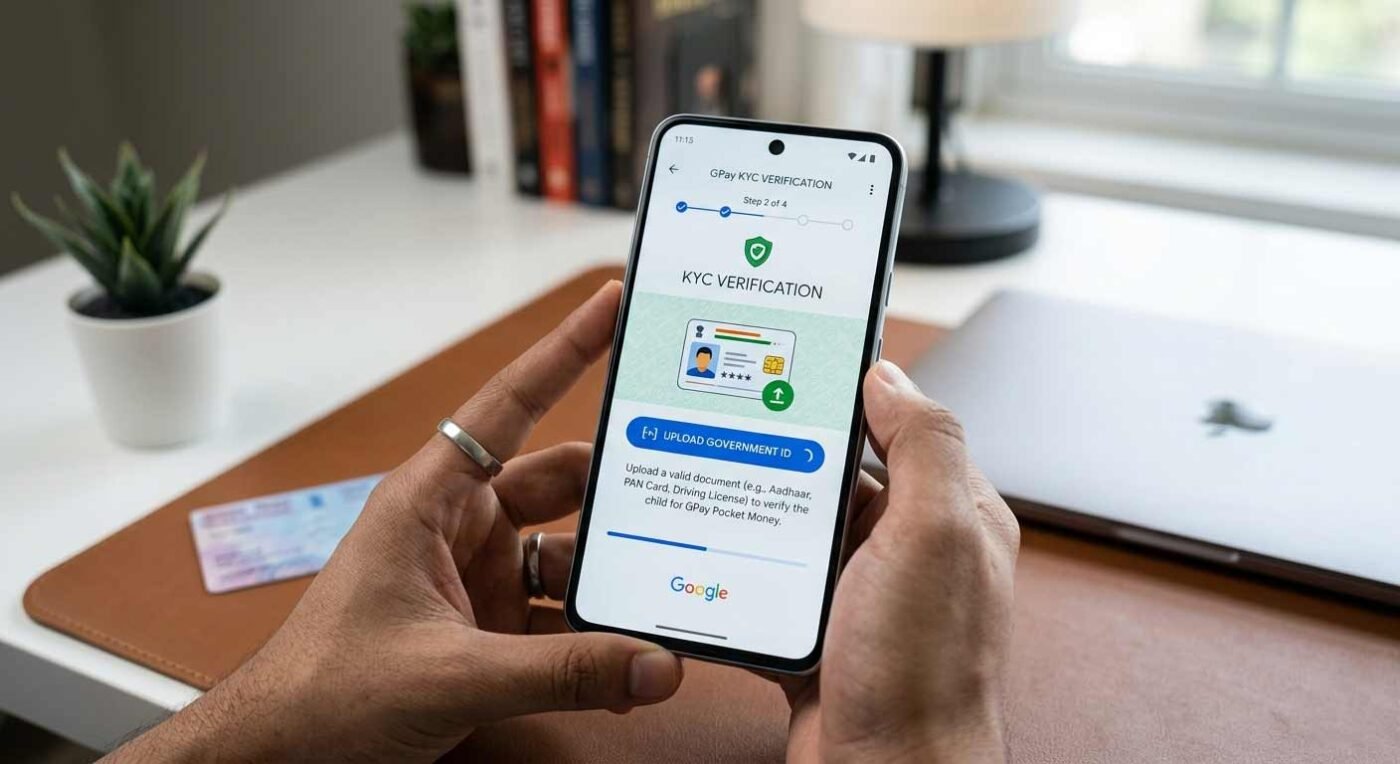
Official guidelines state that both users must be on GPay, the secondary user’s number must be in the primary user’s contacts, and KYC verification (including a government ID) is mandatory
Expect a tool that promotes financial literacy by giving children independence while providing parents with real-time tracking, spending limits, and enhanced security via KYC norms